The shared operating system for your family.
One place for the calendar, the tasks, the lists and the meals, with an assistant the whole household can text, and that can make phone calls for you. It drafts and organizes, and nothing leaves the house unless someone in your family has said yes to it, each time or in advance.
FamiliOS is made and run by FamiliOS LLC.
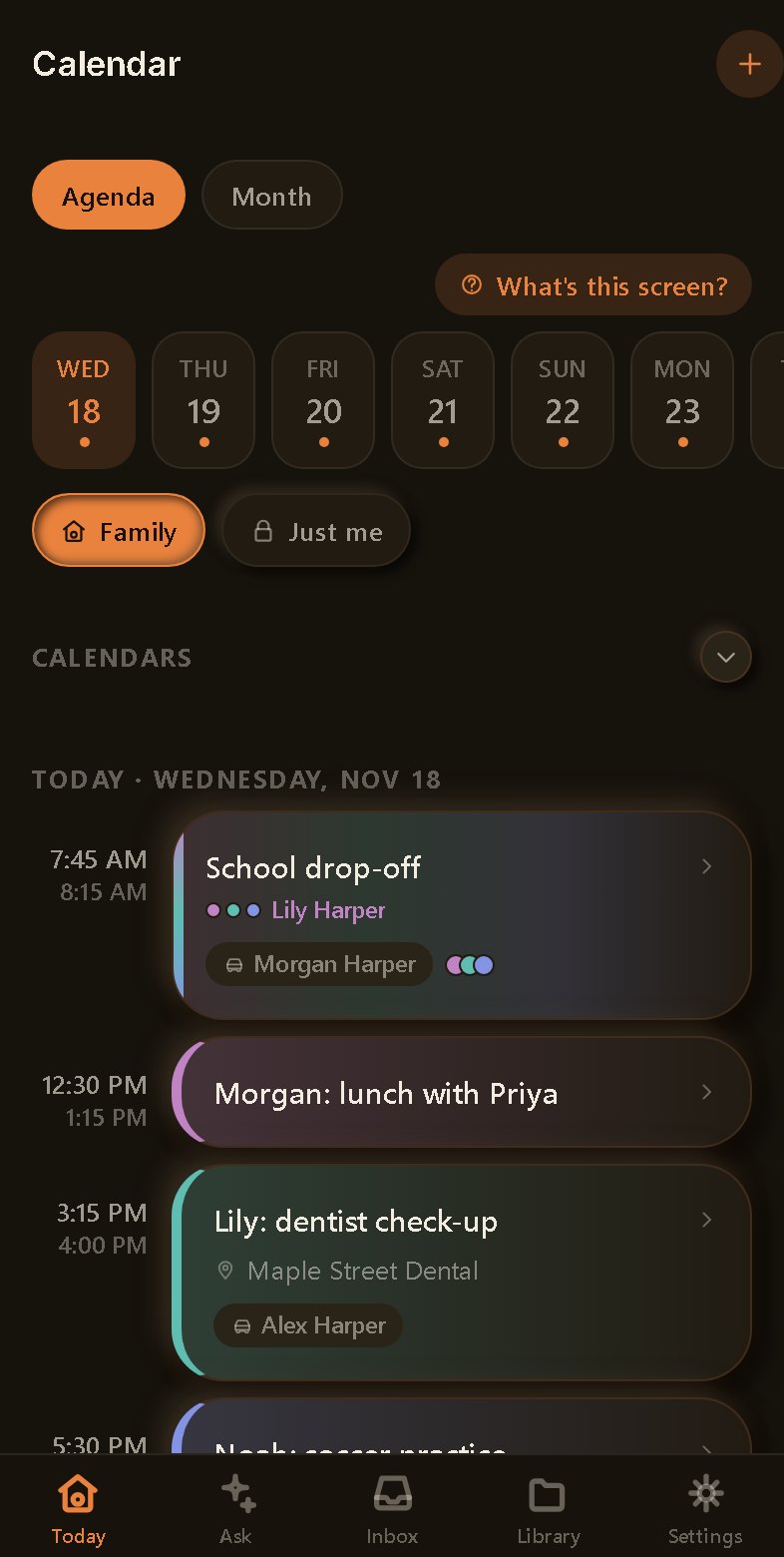
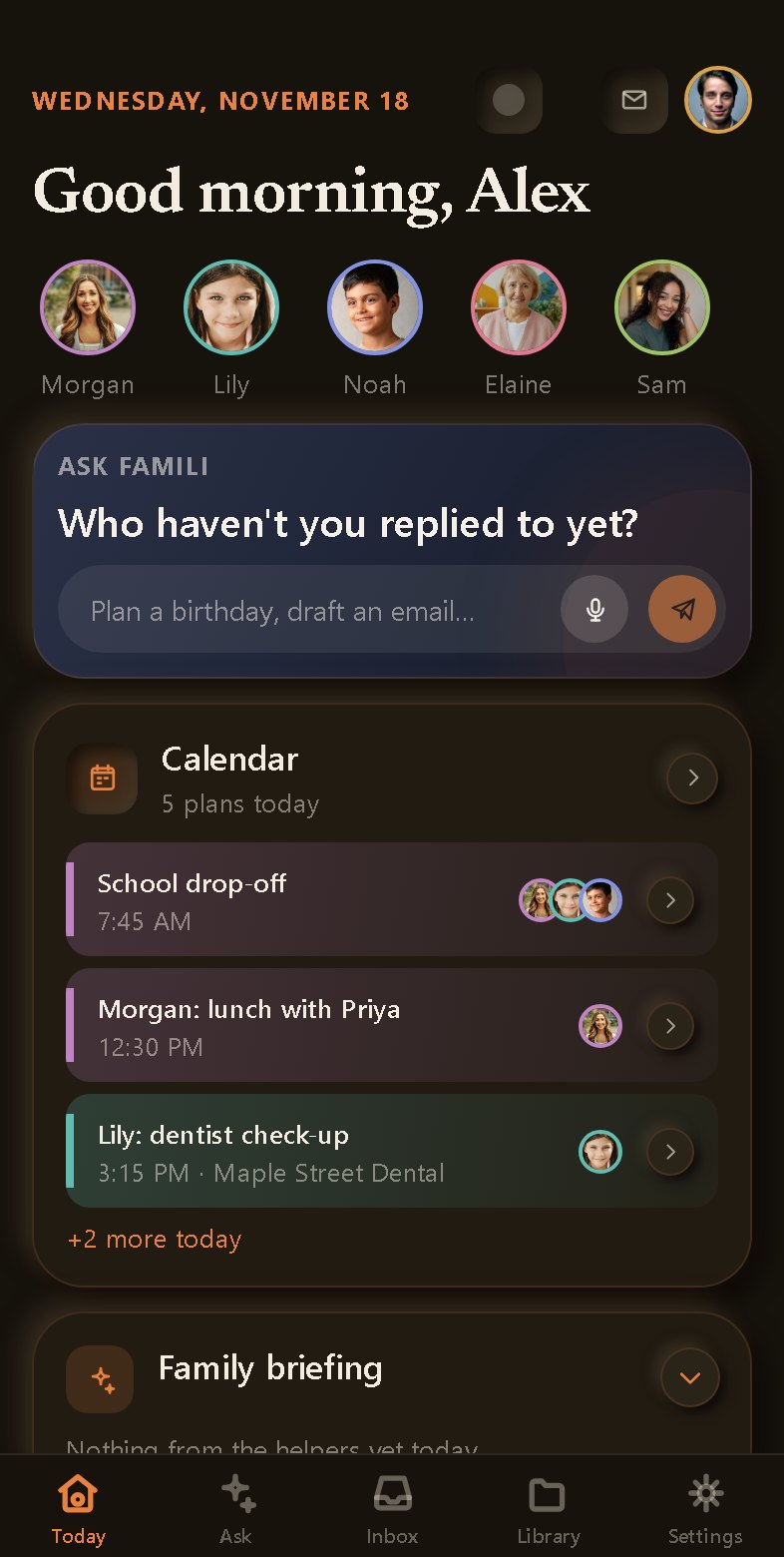
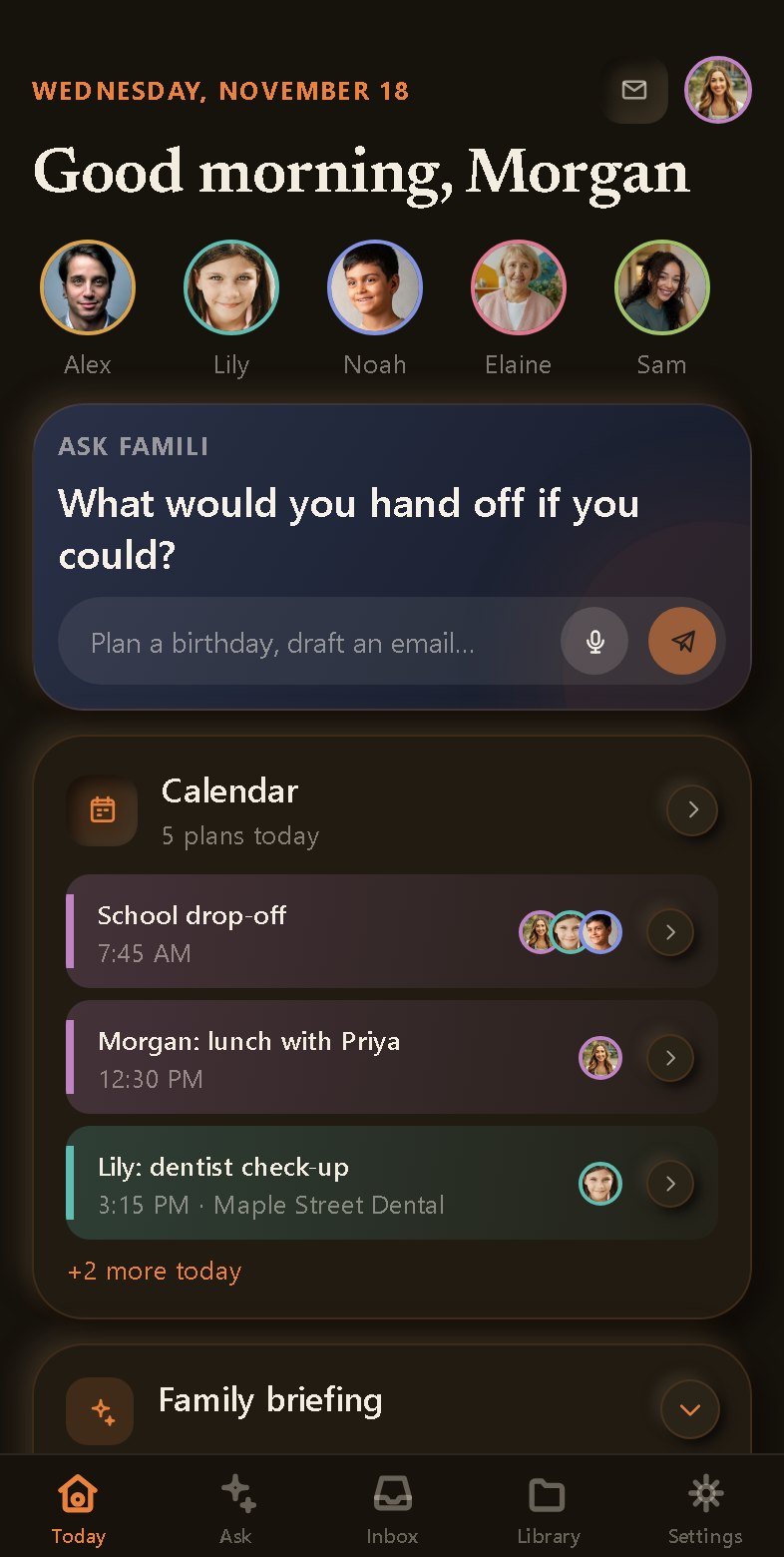
Everyone's day, on one screen.
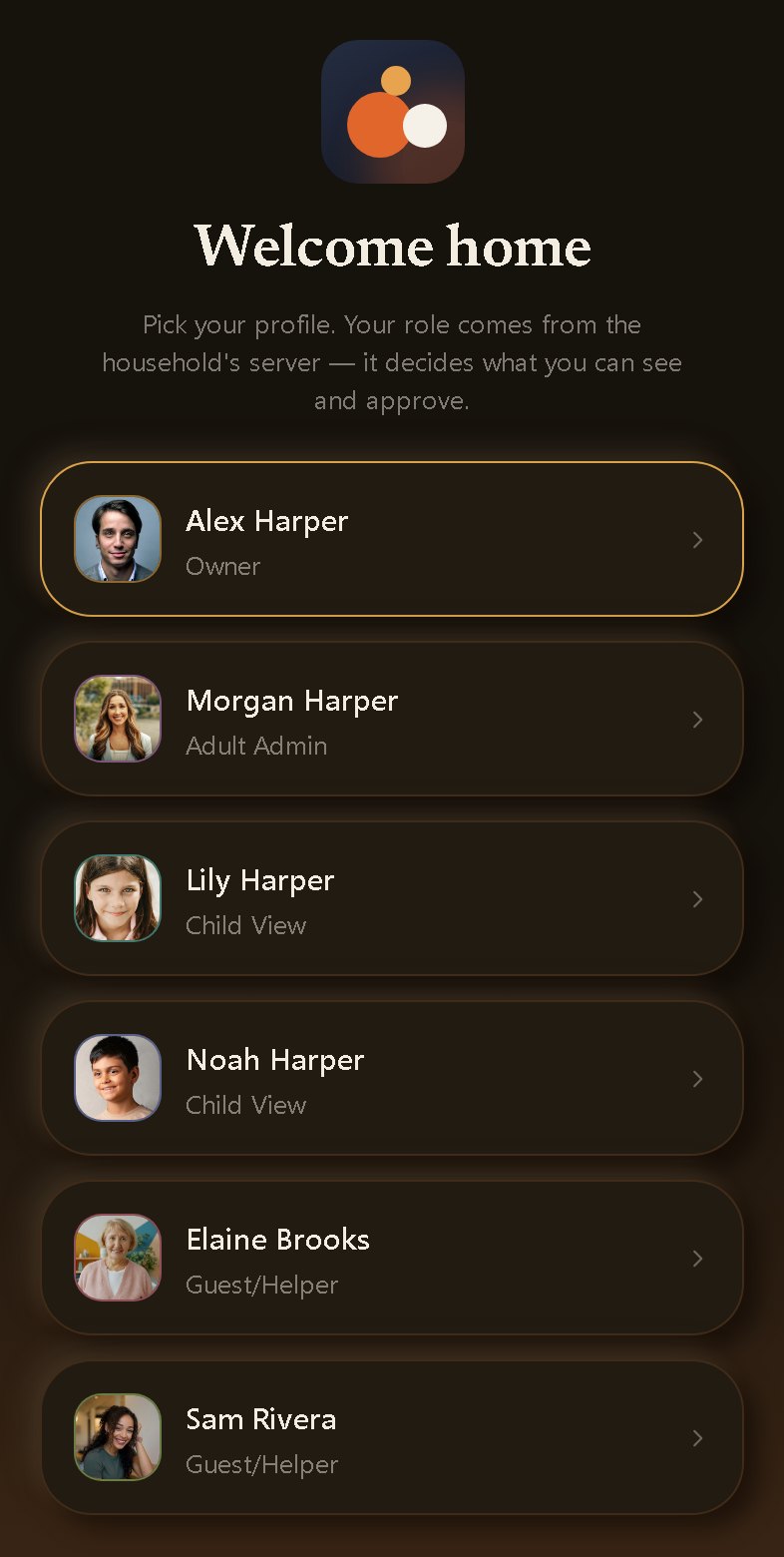
Each person's plans and tasks land on one family calendar, and each person opens their own view of it. Meet the Harpers, the sample family in these screens, and hand the phone around.
Alex, a parent and the household's Owner. The whole day at a glance: whose plan it is, who is going, and what still needs a yes.
Morgan, the other parent. The same family calendar, with everyone's plans in their own colour.
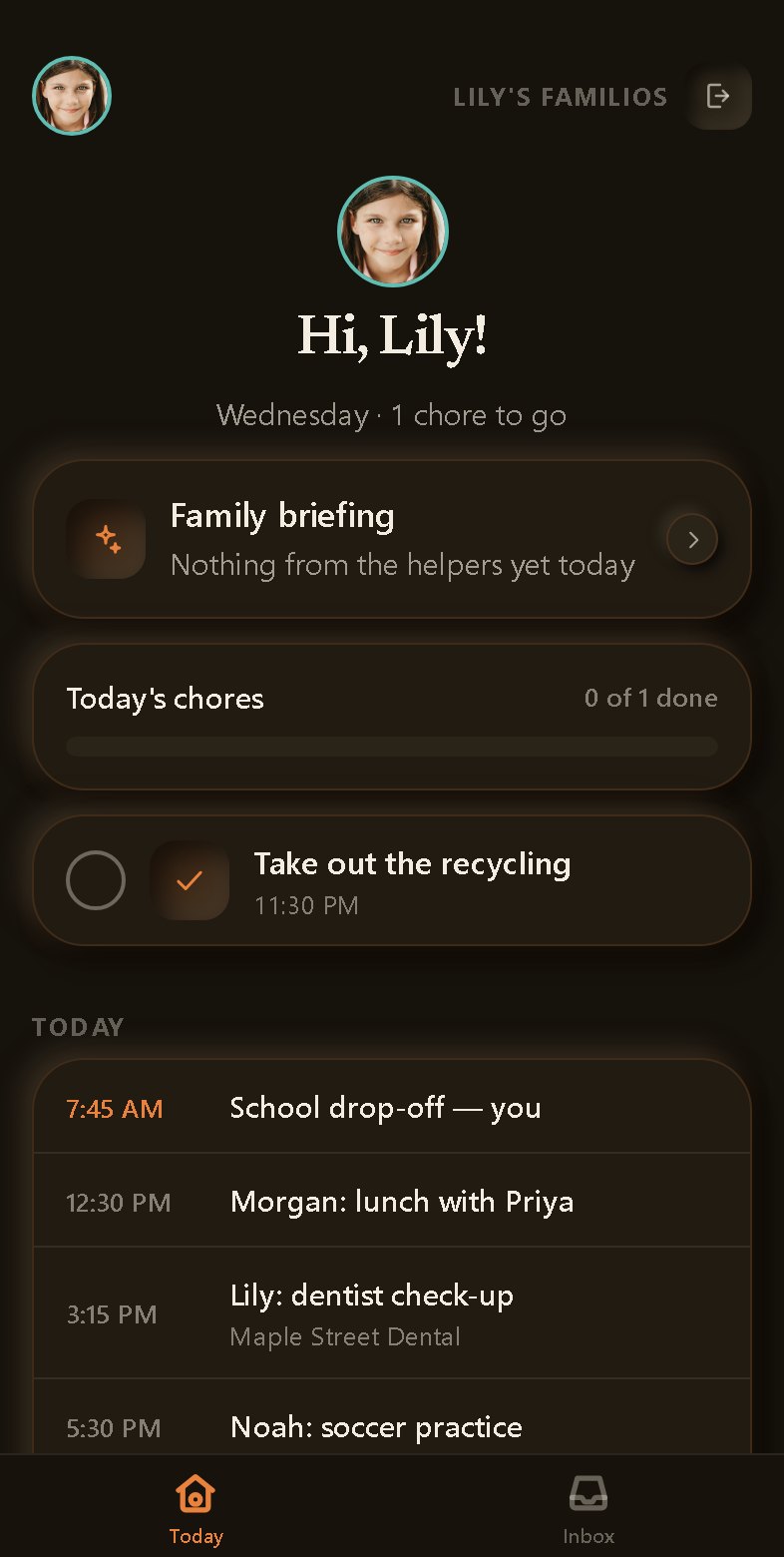
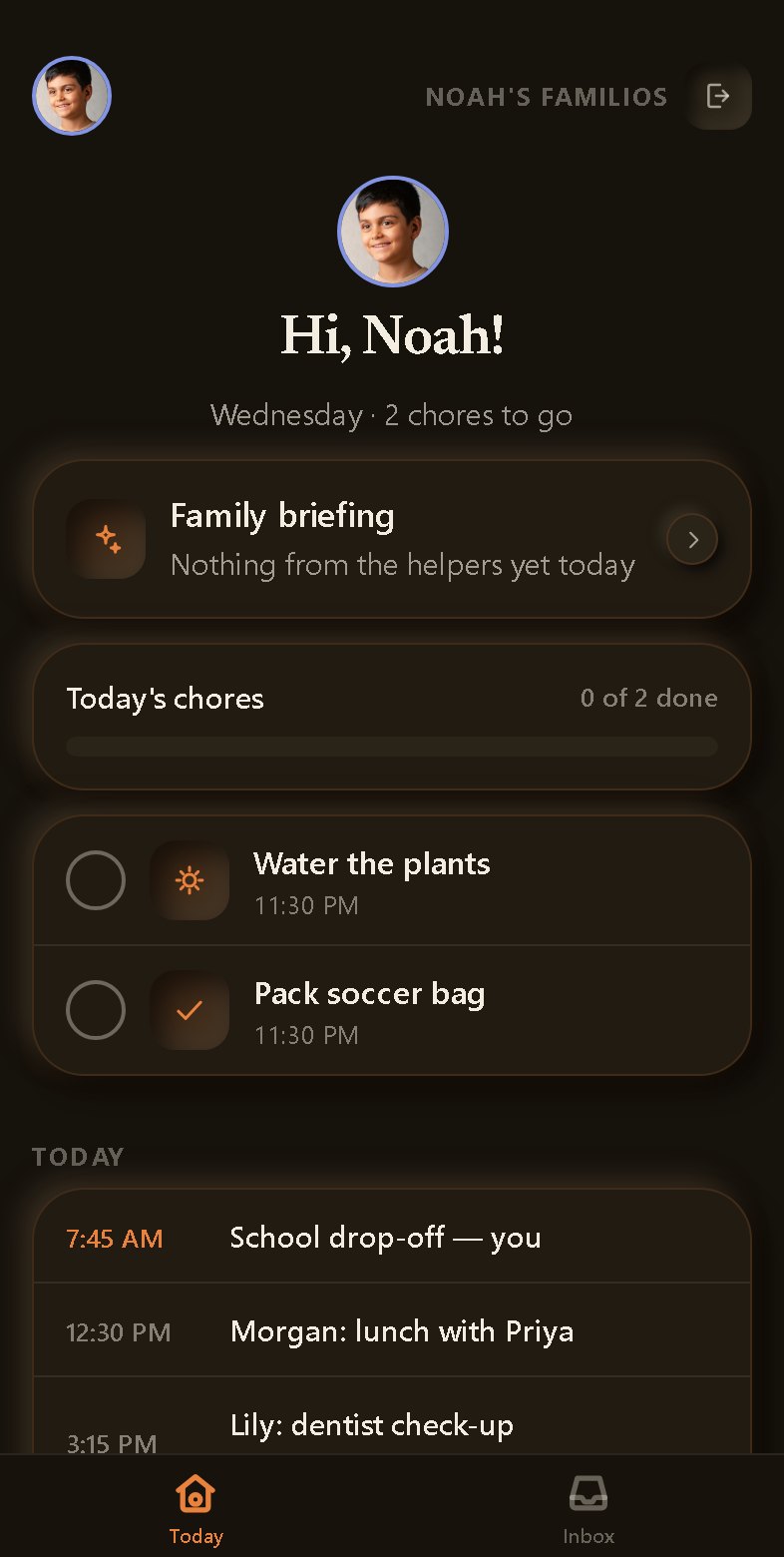
Lily, who is nine. A child's own Today: the chore that is hers, and where the day is taking her.
Noah, who is six. Two chores to tick off, and the school run with his name on it.
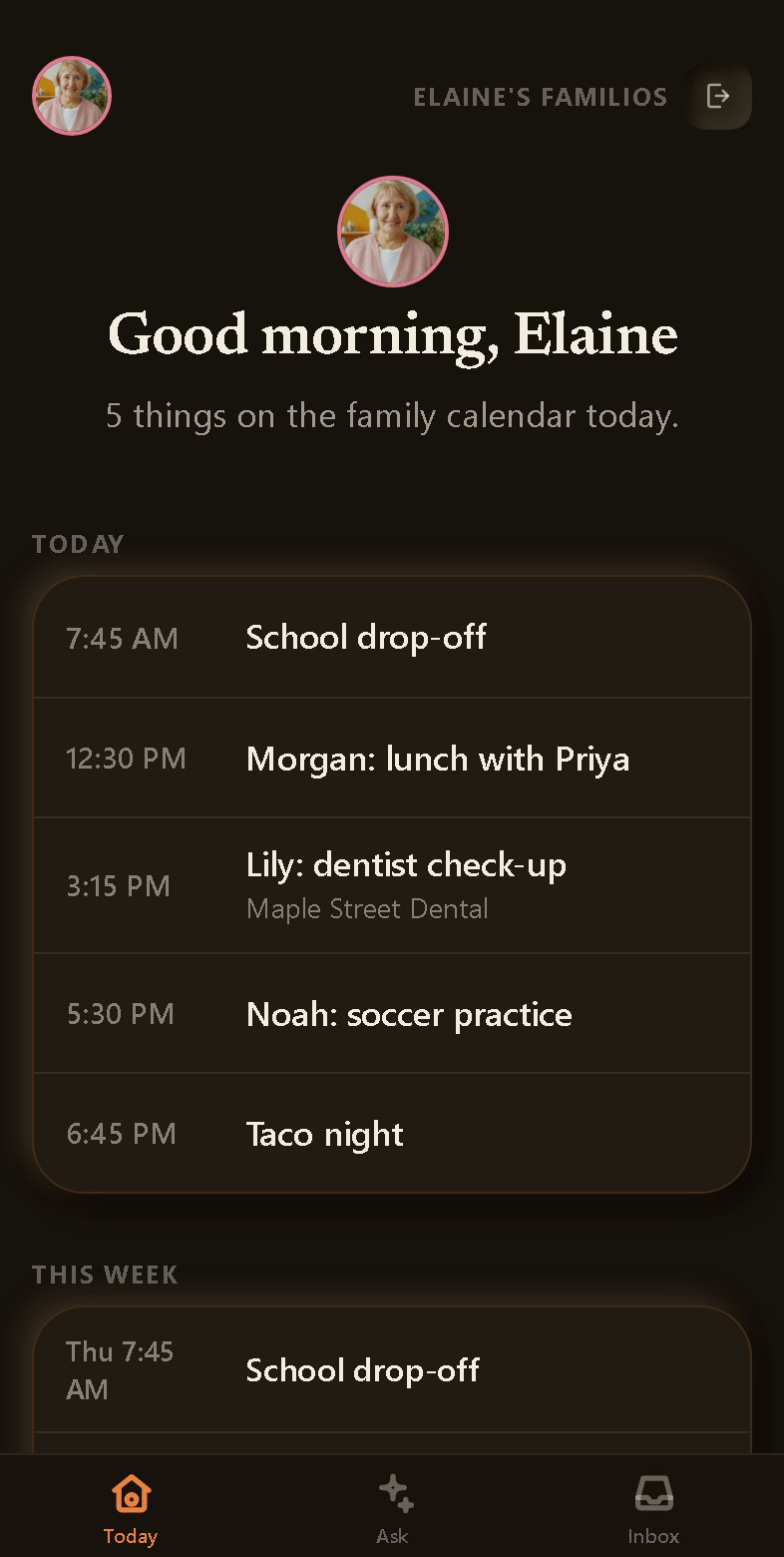
Elaine, their grandmother. A guest in the household: the family's plans, and nothing she was not given.
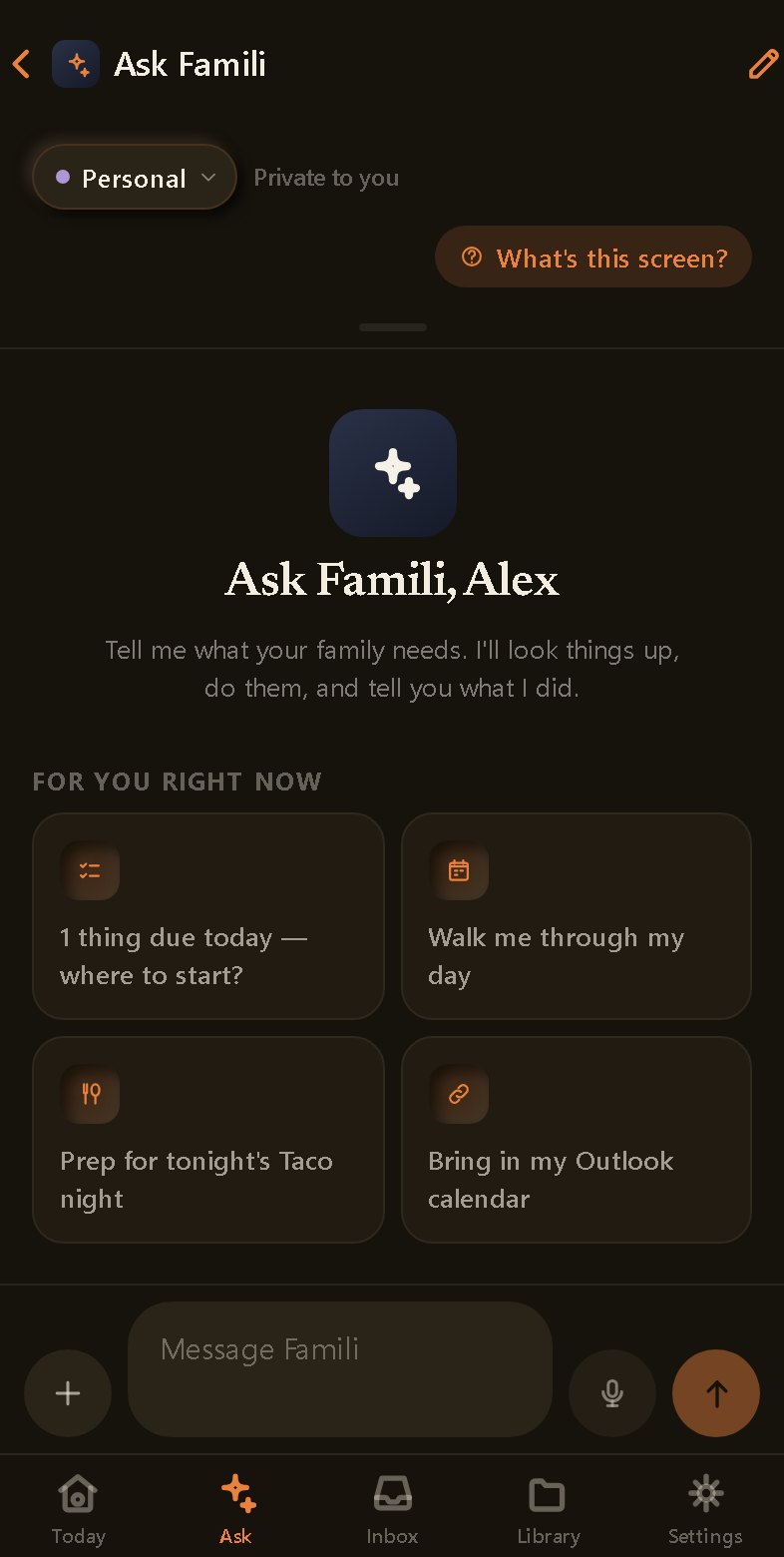
An assistant that asks before it acts.
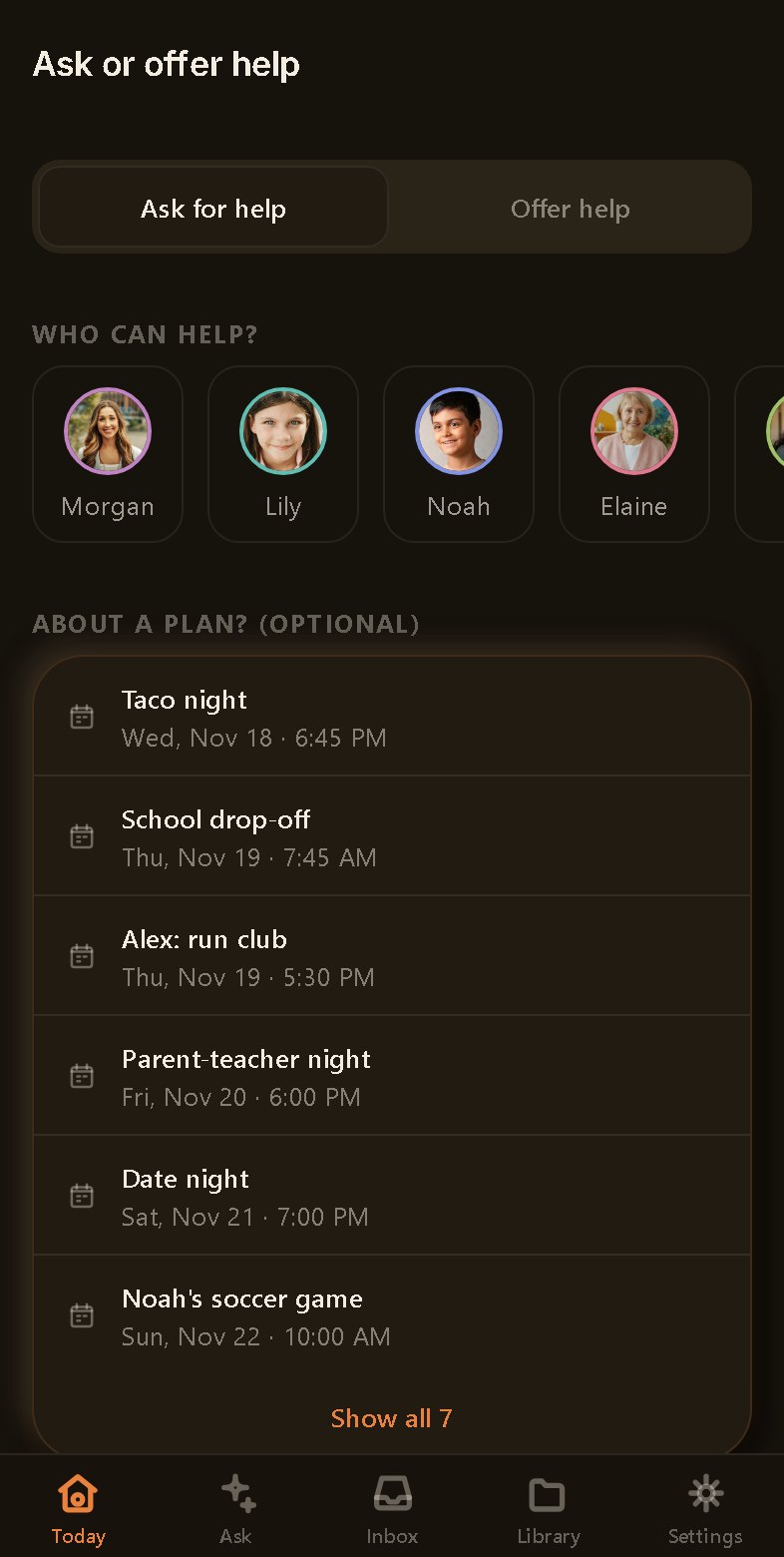
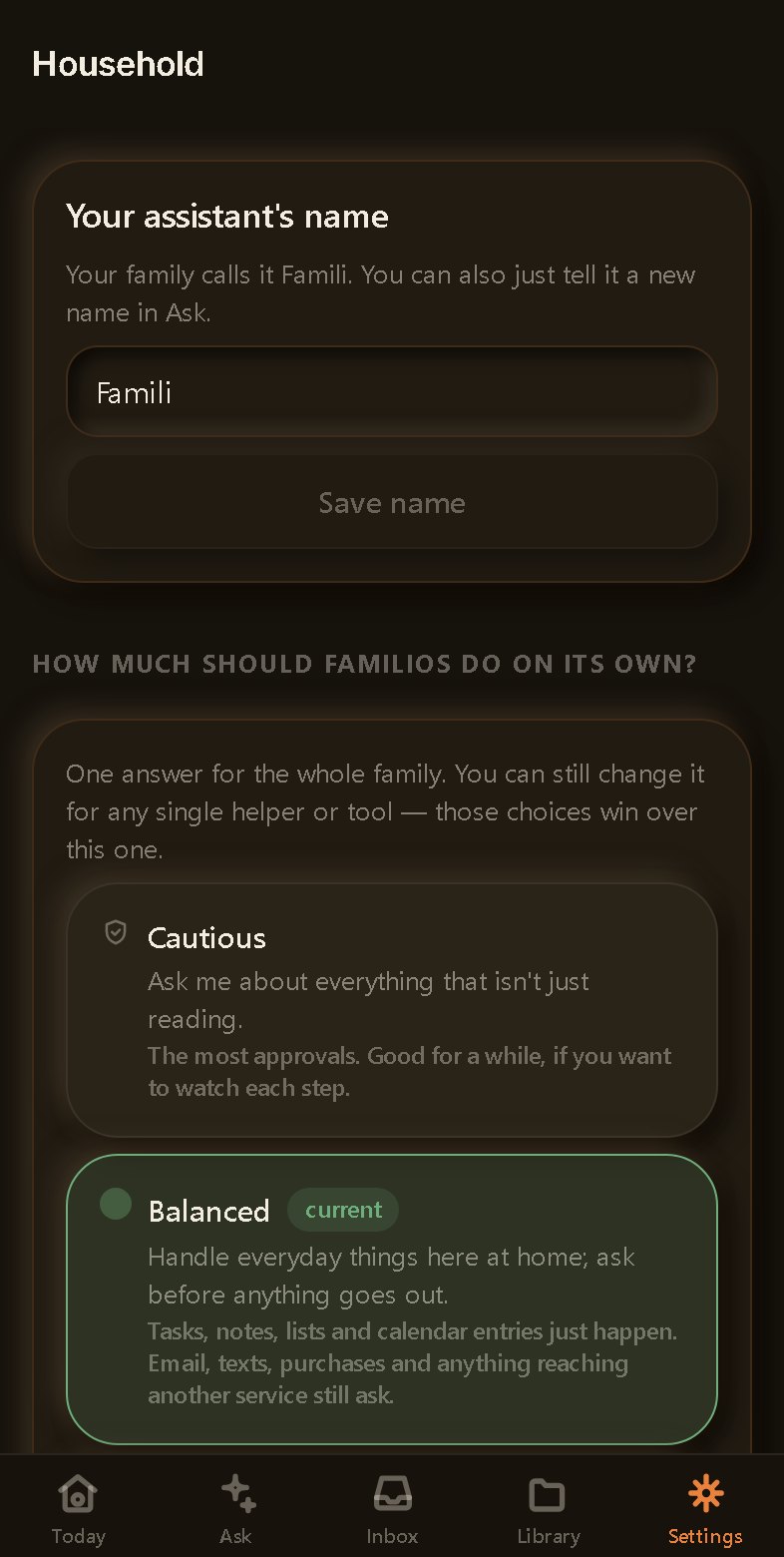
Famili drafts, looks things up and organizes. Before anything leaves the house it shows you exactly what it will do and waits, unless your family said yes in advance.
- Ask in the app, or text it over iMessage
- Cautious, Balanced or Trusted, for the whole household
- Give it the name your family uses
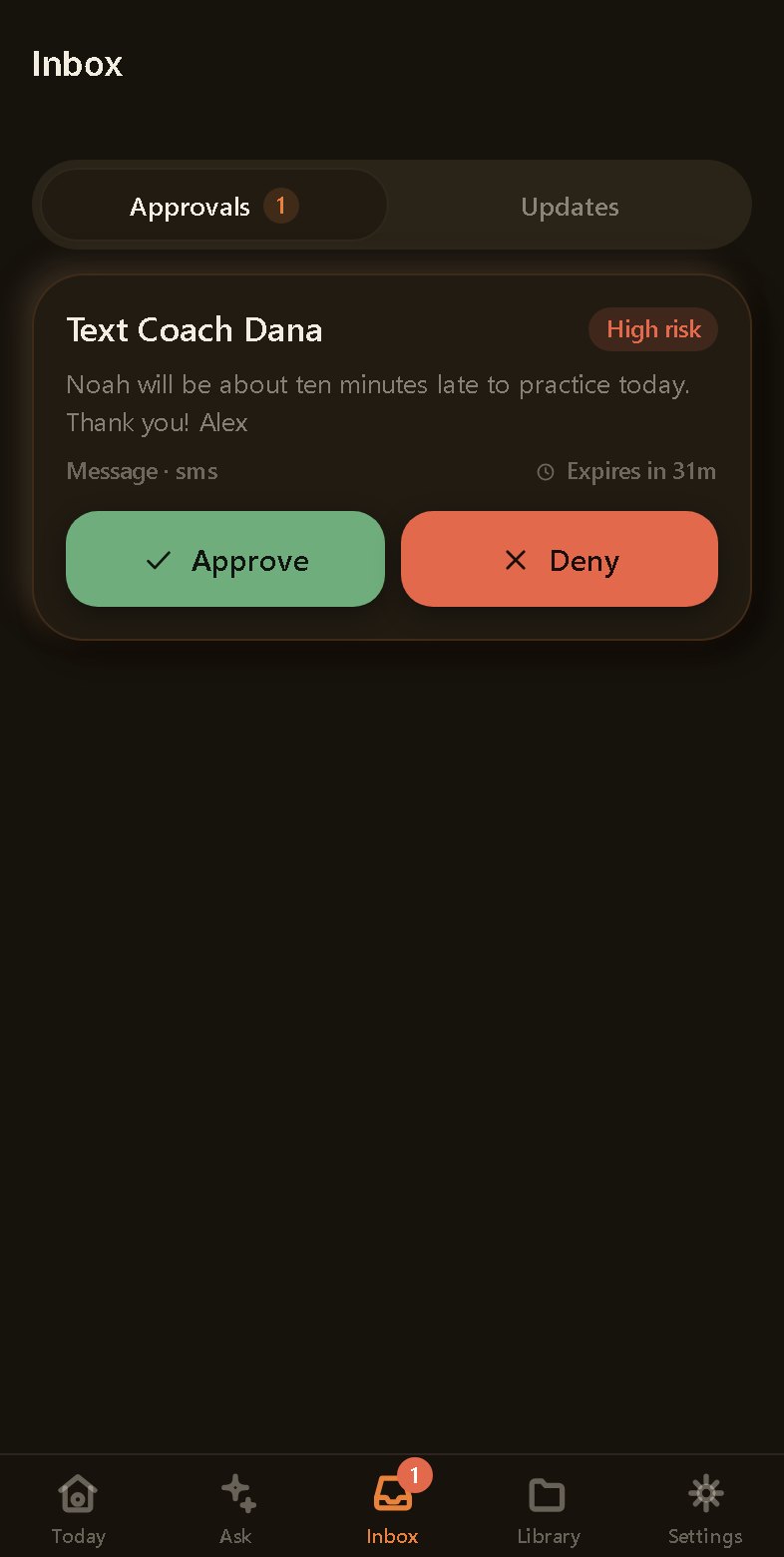
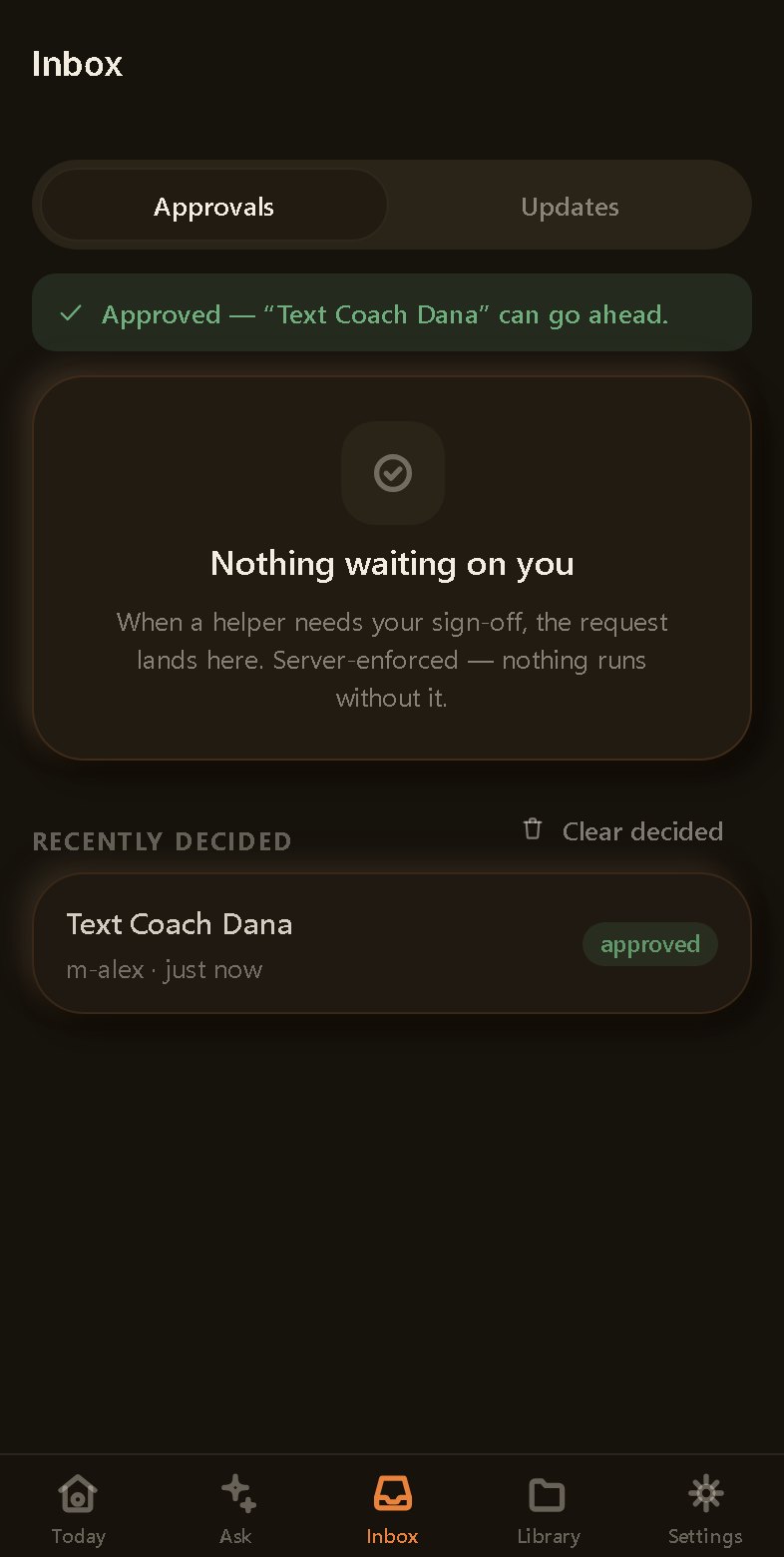
Try it. Famili wrote a text to Noah's coach and is holding it: tap Approve on the phone. Nothing is sent from this page.
Approved. In the app, that text would now be on its way.
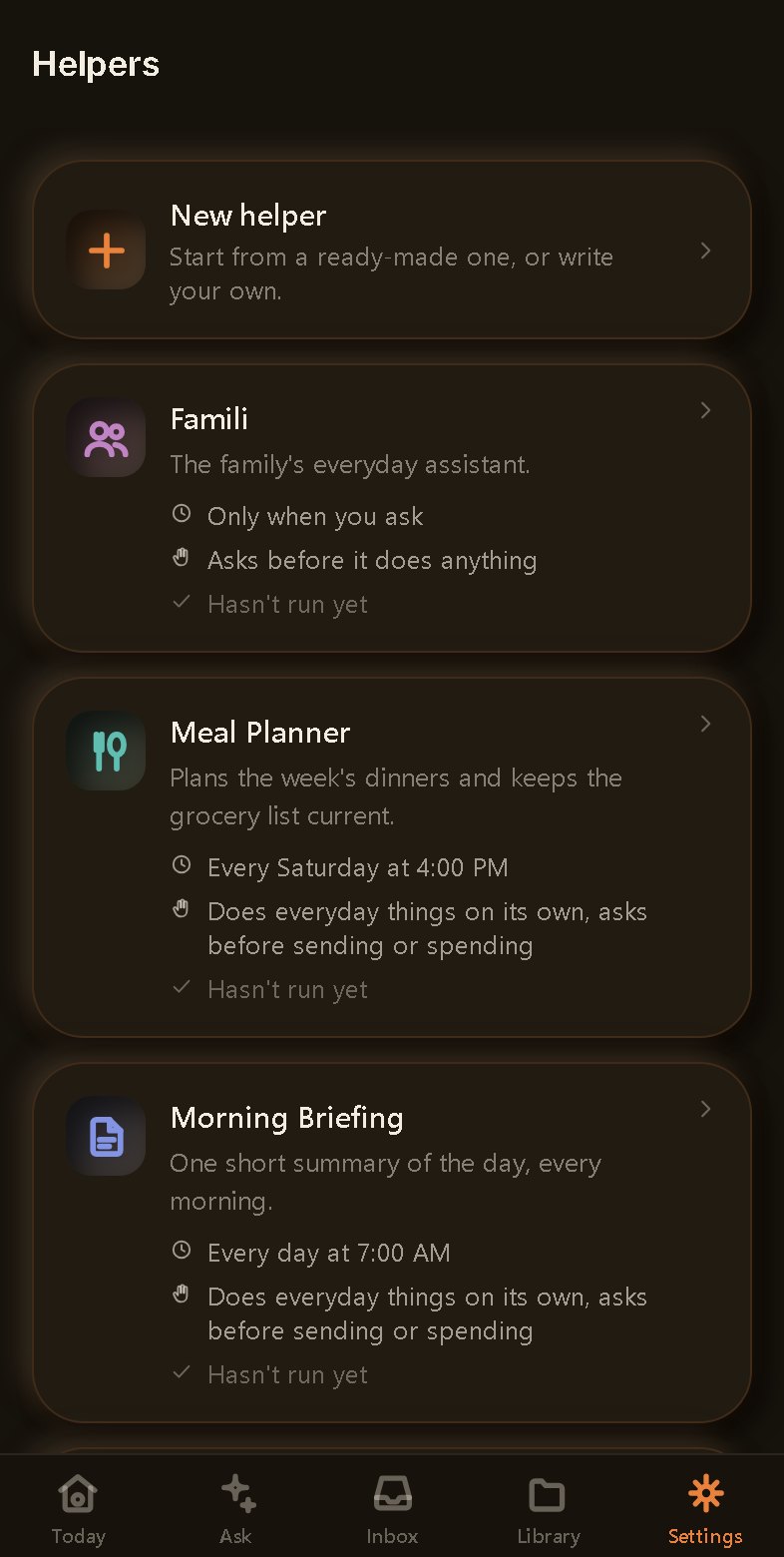
Helpers that keep the week moving.
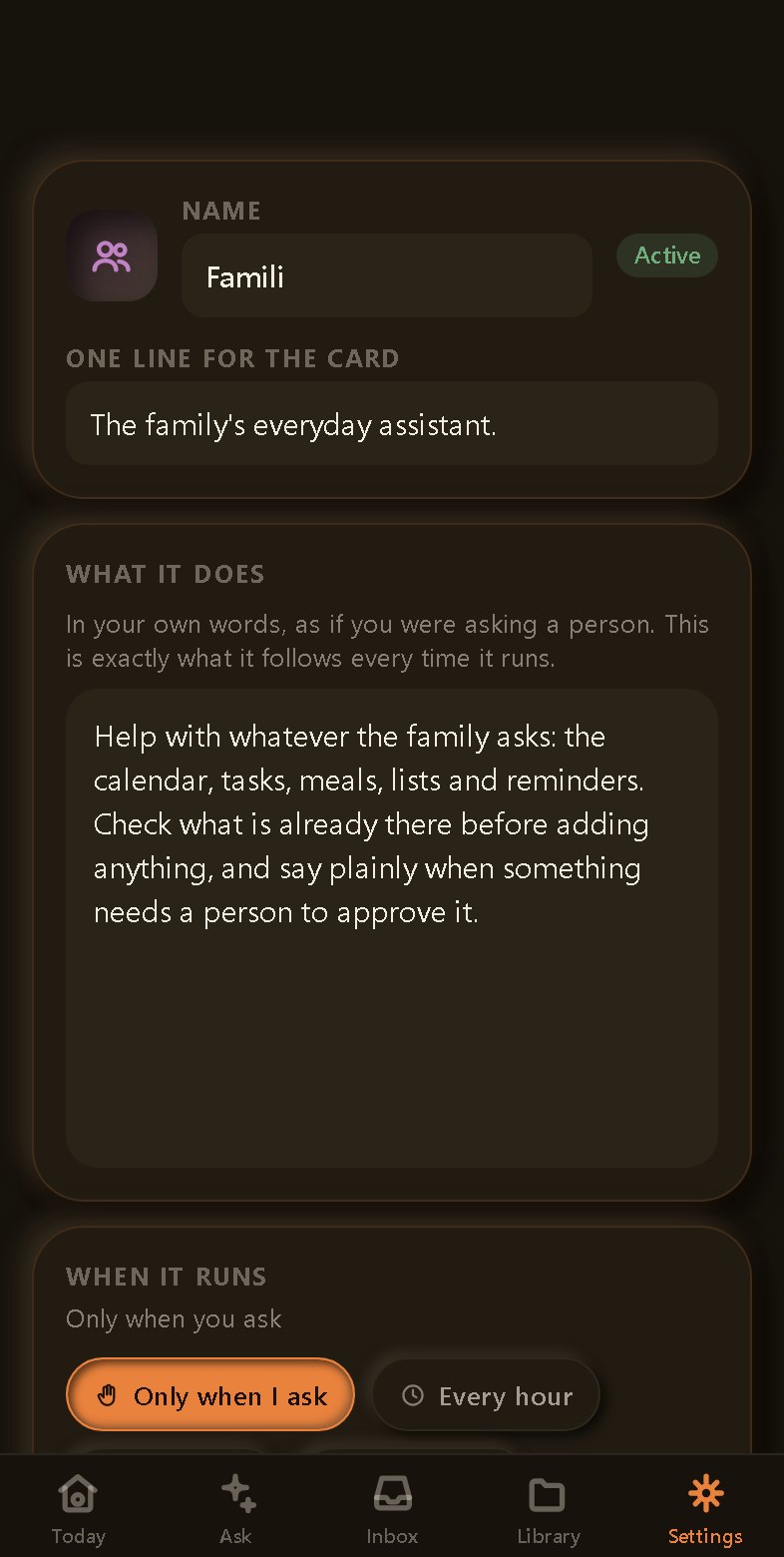
Small routines on a schedule: a morning briefing, a meal plan, a look at the week ahead. You write their instructions in plain words.
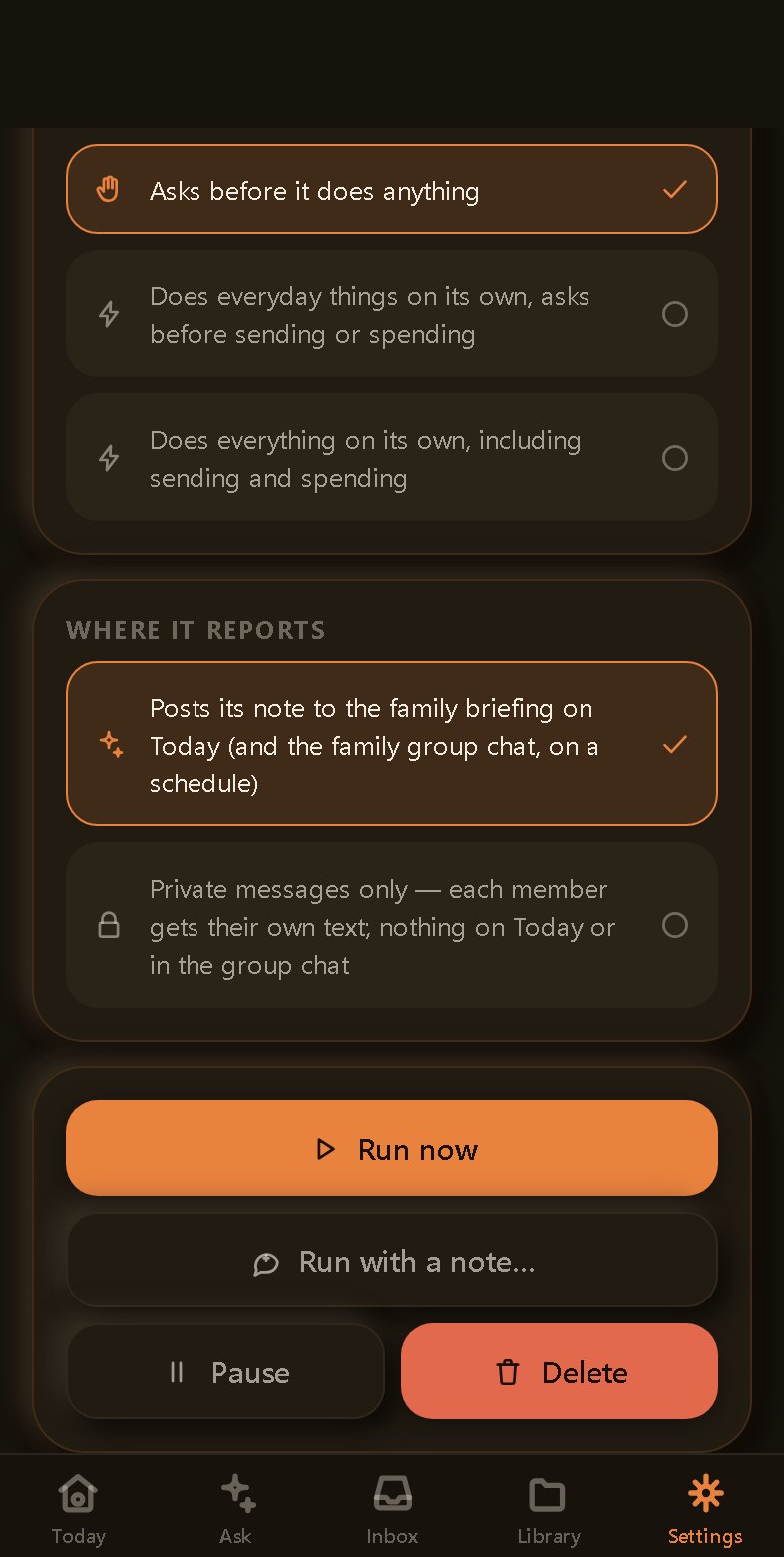
- Each helper does only what you allow
- Choose where it reports
- Run it, pause it or delete it
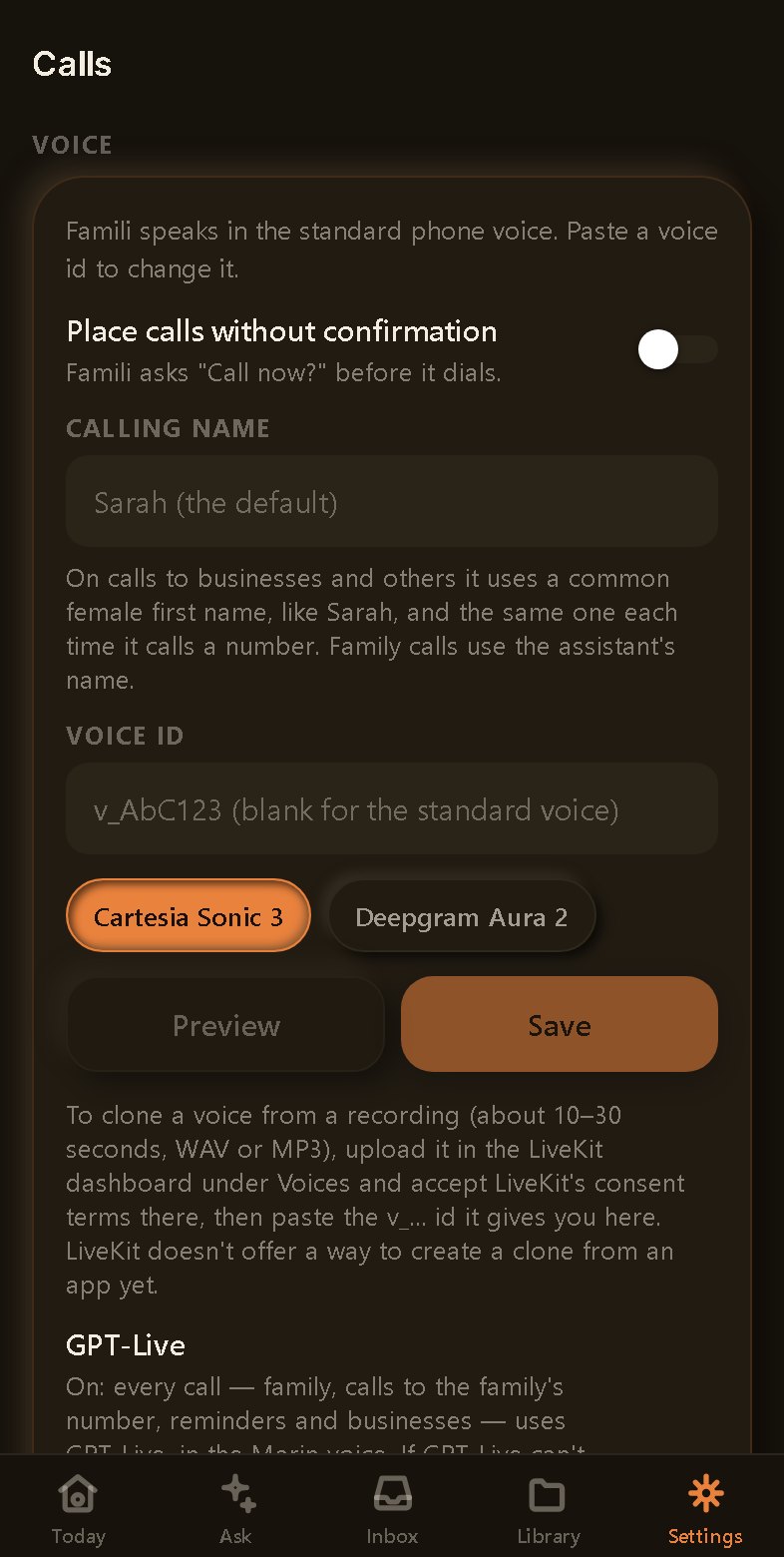
It can make the call.
Ask Famili to call a business for you, to book, confirm or ask a question, and it tells you how it went.
- Say what the call is for, and what not to agree to
- Choose the name it gives and its voice
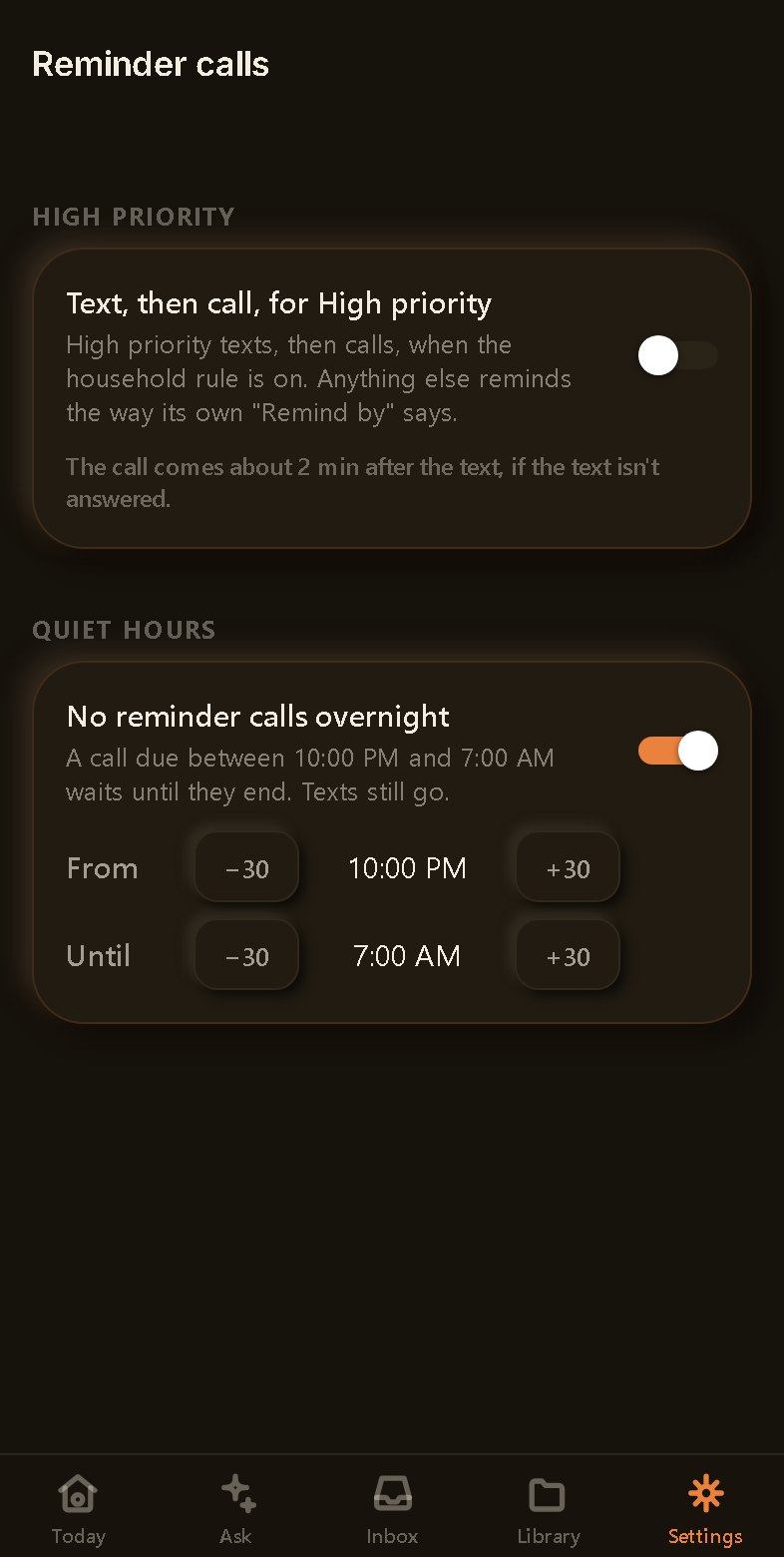
- Reminder calls for the things that cannot be missed
What FamiliOS does
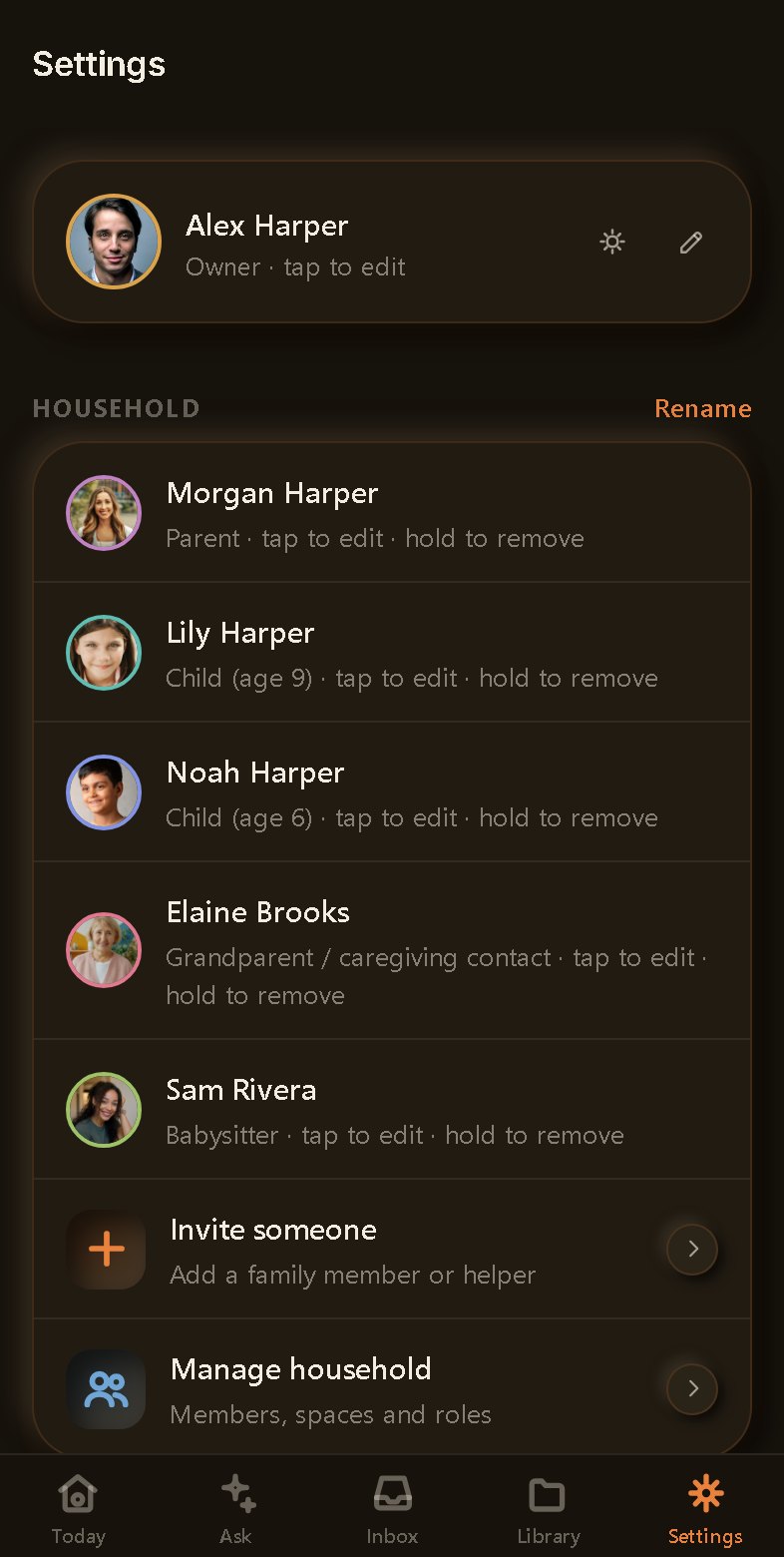
A household creates one FamiliOS space, invites its members, and gives each of them a role, from Owner to a child's profile. Everything below lives in that space, separate from every other family's.
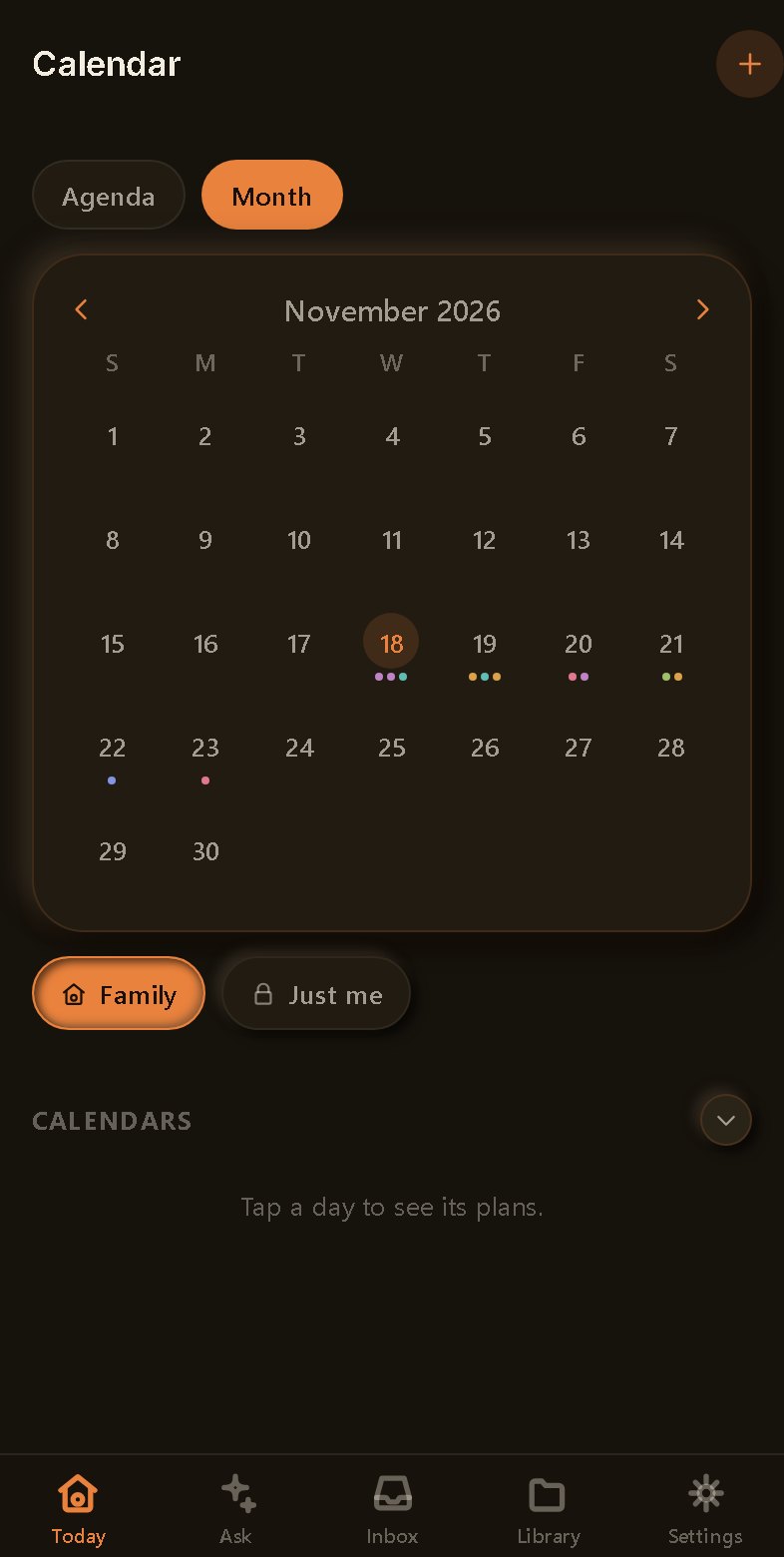
A family calendar
Everyone's plans on one calendar, including each member's Google Calendar if they connect it. A work calendar can show as "working" instead of every meeting title.
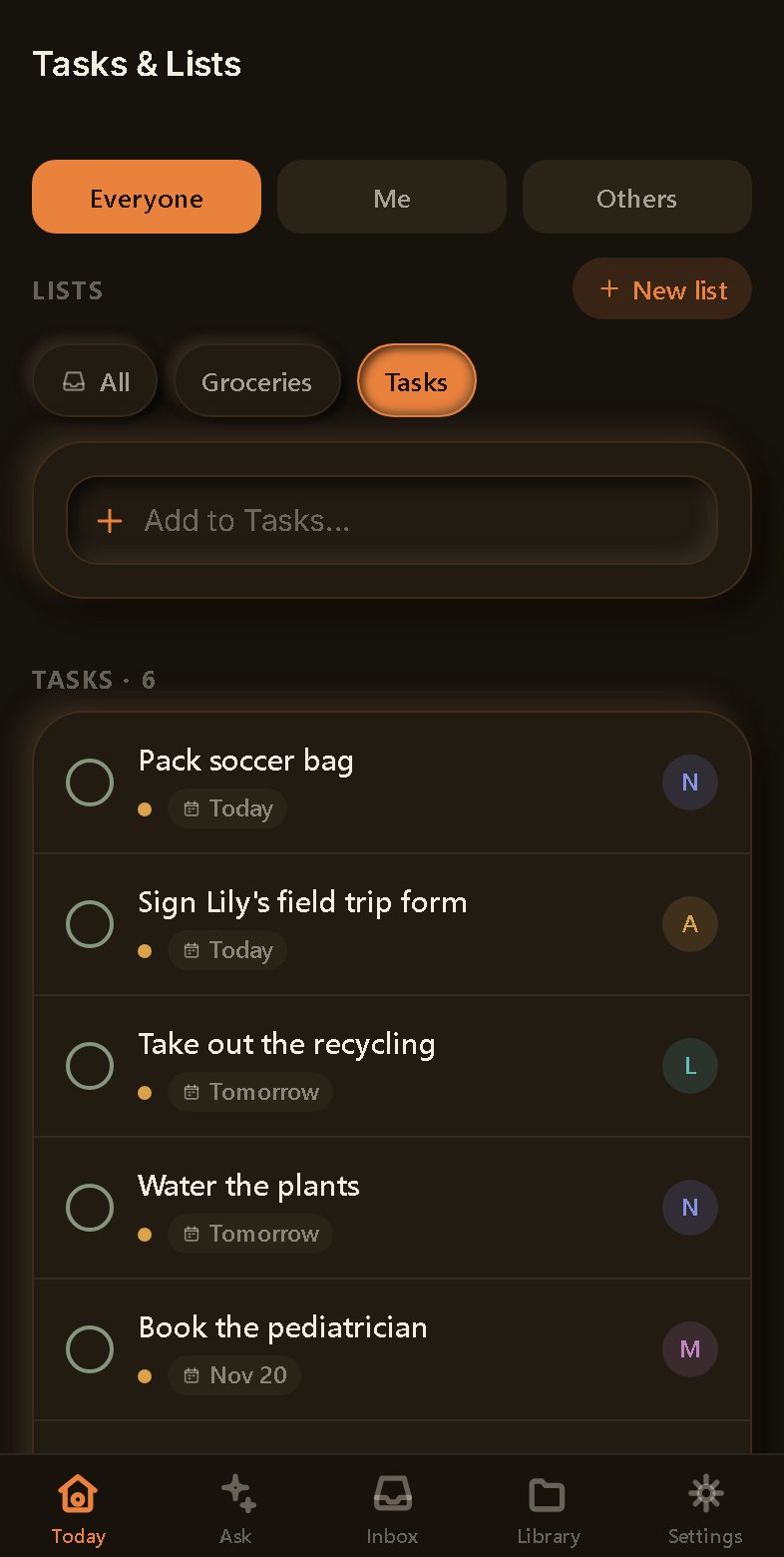
Tasks and lists
Chores, errands and shopping lists the whole family can see and tick off, with reminders for the things you set up.
Meals
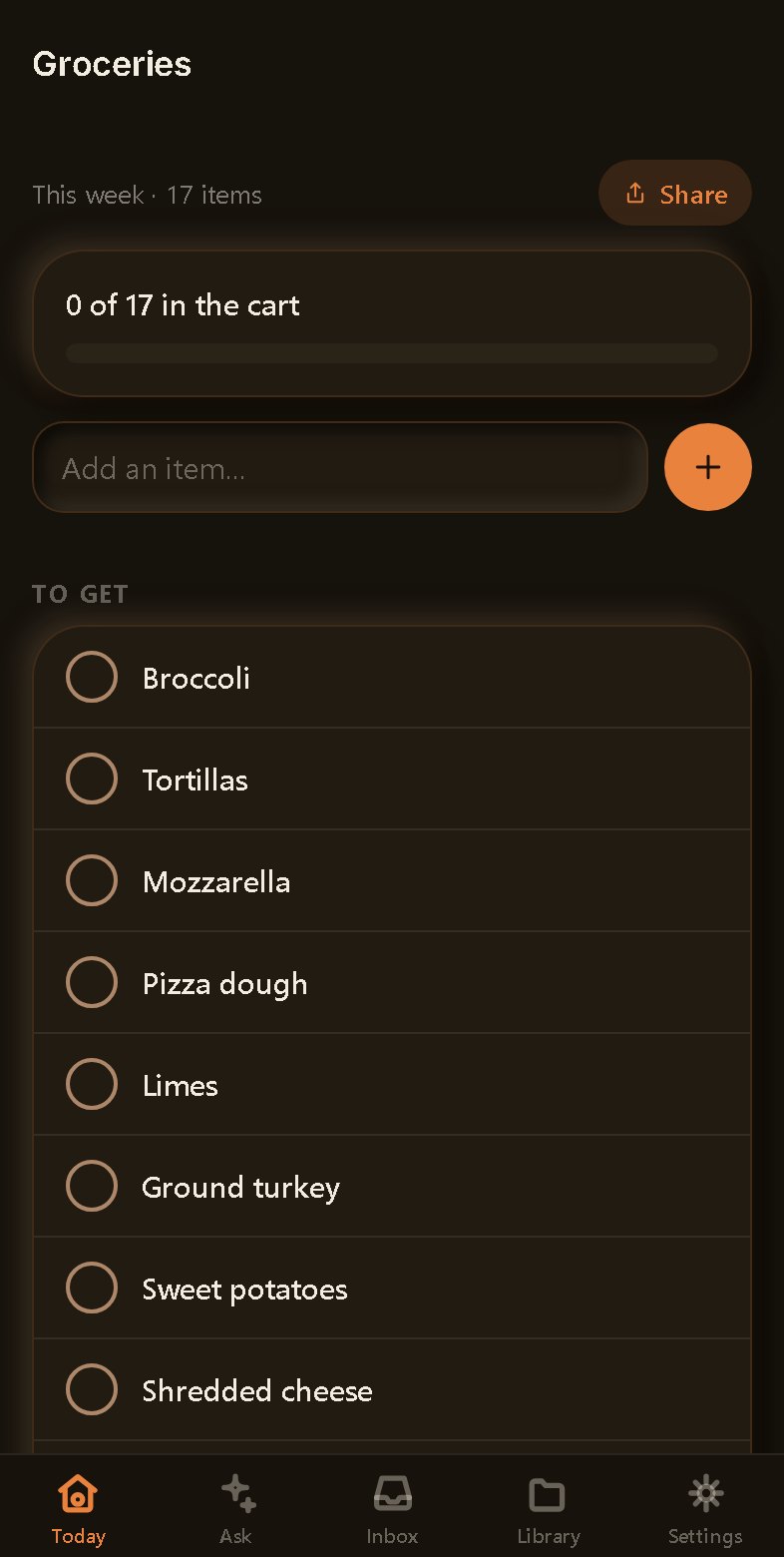
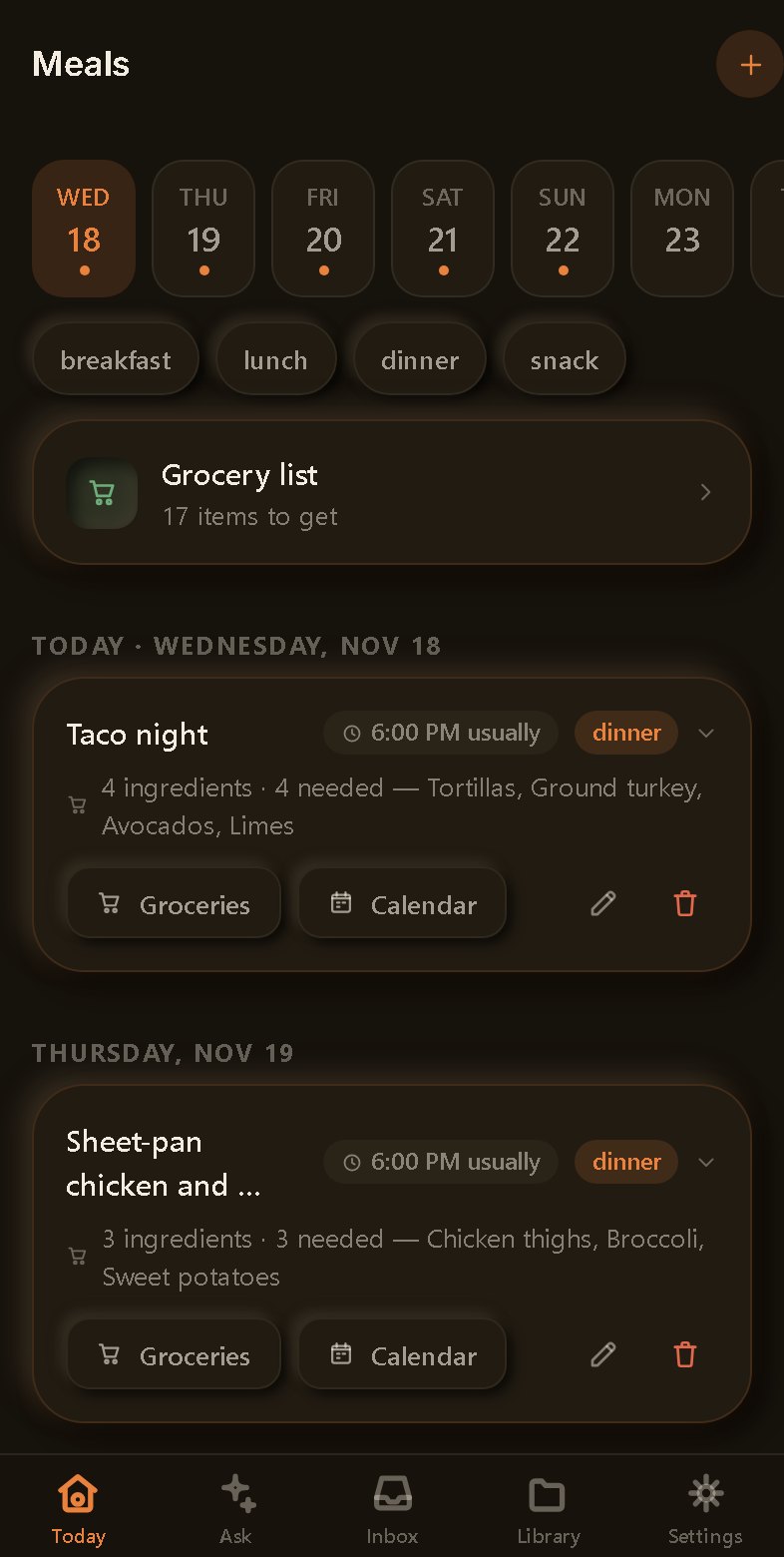
Plan the week's dinners, turn them into a grocery list, and put them on the calendar.
Helpers
Small routines that run on a schedule, like a morning briefing of the day's plans. Each one can do only what you allow it to.
Phone calls
Ask Famili to call a business for you, to book, confirm or ask a question, and it tells you how it went. Calls are transcribed, never recorded, and only the person who asked for a call sees its transcript.
An assistant you can text
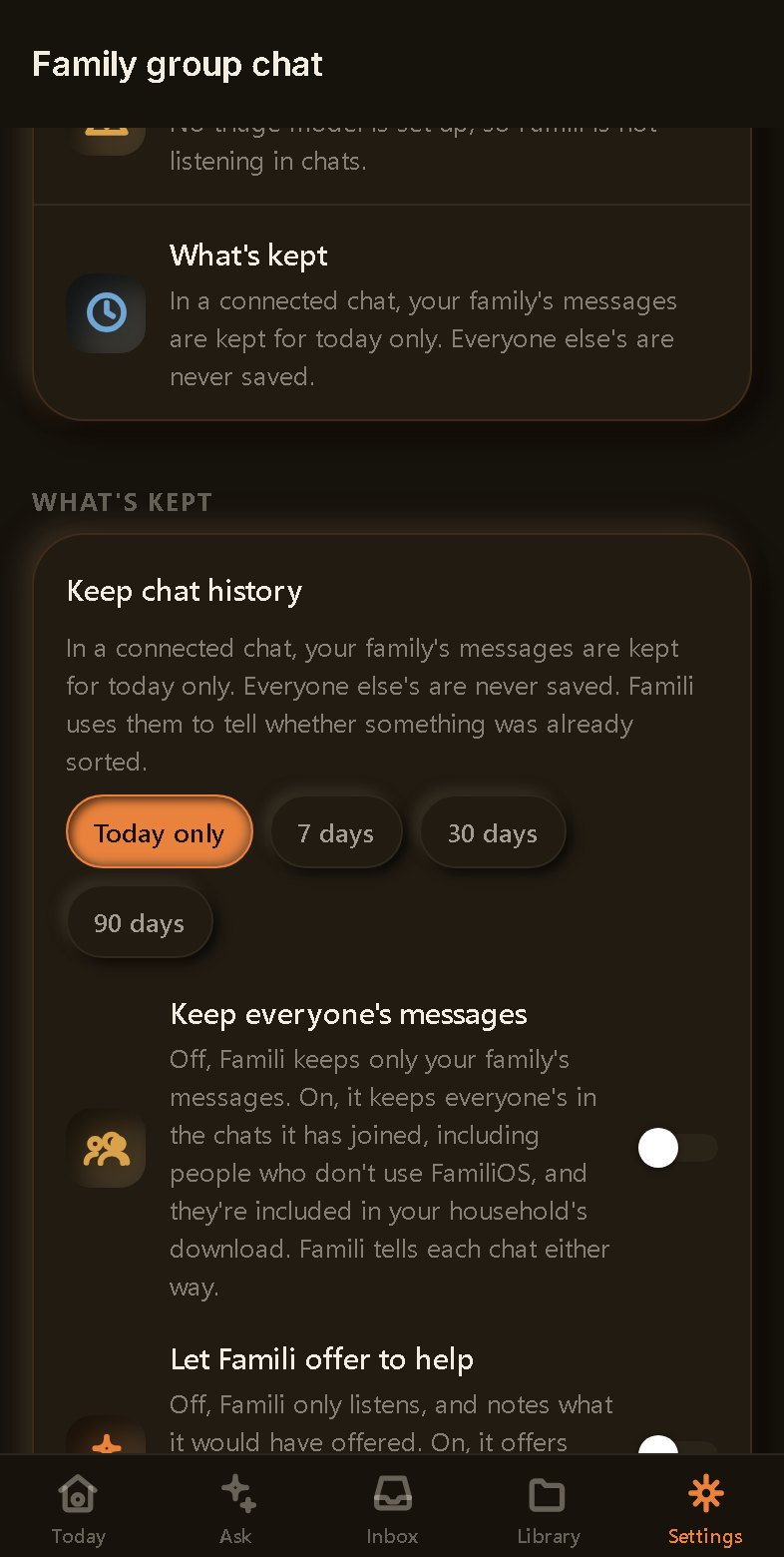
Ask Famili in the app, or text it from your phone over iMessage, one to one or in a family group chat an adult adds it to. It answers from your family's calendar, lists and notes.
Approval first.
When the assistant would send an email or a text, add something to someone's Google Calendar, or reach anyone outside your household, it shows exactly what it will do and waits for a person to approve it. A few things go without asking each time, because a family member asked for them or an adult set them up in advance: a phone call a member asks Famili to make, a helper's scheduled messages to a family member's own verified email or phone, and Famili's posts in a group chat an adult connected. Only an Owner or Adult Admin can relax approvals further, for one helper or for the household.
Connectors
FamiliOS works with the accounts and devices your family already has. Every connection is optional, is made by one person for themselves, and is theirs to remove.
- GoogleEach member can connect their own Google account, to sync the Google calendars they pick and to send an email from their own address when they ask for one. FamiliOS asks Google for three things: which account it is, the calendars, and sending email. It cannot read your inbox, and an email is shown in full and approved by a person before it goes, unless an Owner or Adult Admin relaxed that. FamiliOS's own emails, such as reminders and codes, never come from your Google account.
- Apple iCloudConnect with an Apple ID and an app-specific password you create for FamiliOS.
- The iPhone itselfIn the iPhone app: the iPhone calendars you pick, the Reminders lists you link, and the contacts you choose, which stay private to you.
- iMessageText Famili one to one, or have an adult add it to the family's group chat.
- The phoneFamili can place a call for you, and call you with a reminder that cannot be missed.
- An AI serviceThe assistant's answers are written by the AI service FamiliOS uses for your household. The privacy policy names each one, and what it receives.
What each connection may read and do, permission by permission, is in the privacy policy.
FamiliOS's use and transfer to any other app of information received from Google APIs will adhere to the Google API Services User Data Policy, including the Limited Use requirements.
A look inside
Every day
What the family opens it for. These are the app's own screens, shown with a sample family, the Harpers.
Famili and its helpers
The assistant, the routines it runs, and how much it may do without asking.
Phone calls
Famili can make a call for you and tell you how it went.
Your family's data
- Each household's own information (its calendar, lists, files, calls and connections) lives in a database of its own, apart from every other family's, on FamiliOS's servers at Render in the United States. Sign-in accounts sit in one shared registry.
- On an iPhone, FamiliOS reads only the iPhone calendars you pick, syncs only the Reminders lists you link, and takes only the contacts you pick, which stay private to you.
- Every text to or from FamiliOS passes through, and stays on, the one iMessage Mac that FamiliOS runs for all households, until it is deleted there.
- Passwords and PINs are stored only as salted hashes. Tokens for connected accounts, and API keys, are encrypted with a key unique to your household.
- No advertising, no data sales, and no analytics or advertising trackers.
- Your household's Owner can download the household's information, or delete the household, which deletes its database and its backups. The privacy policy lists the little that stays.
Read the privacy policy and the terms of service.
Texting FamiliOS
Family members can text the assistant from their phones over iMessage. One to one, it answers only numbers that were verified, by a one-time code or by an adult in the household, and opted in. An adult can also add it to a family group chat, where it reads what everyone in the thread writes, and anyone there can make it leave by texting "Famili stop". Reply STOP to stop, START to start again, HELP for help. Message and data rates may apply. See the messaging terms and the privacy policy.
Welcome home.
Your family's calendar, lists, meals and helpers are where you left them. Pick your profile and you are in.
Sign in to FamiliOS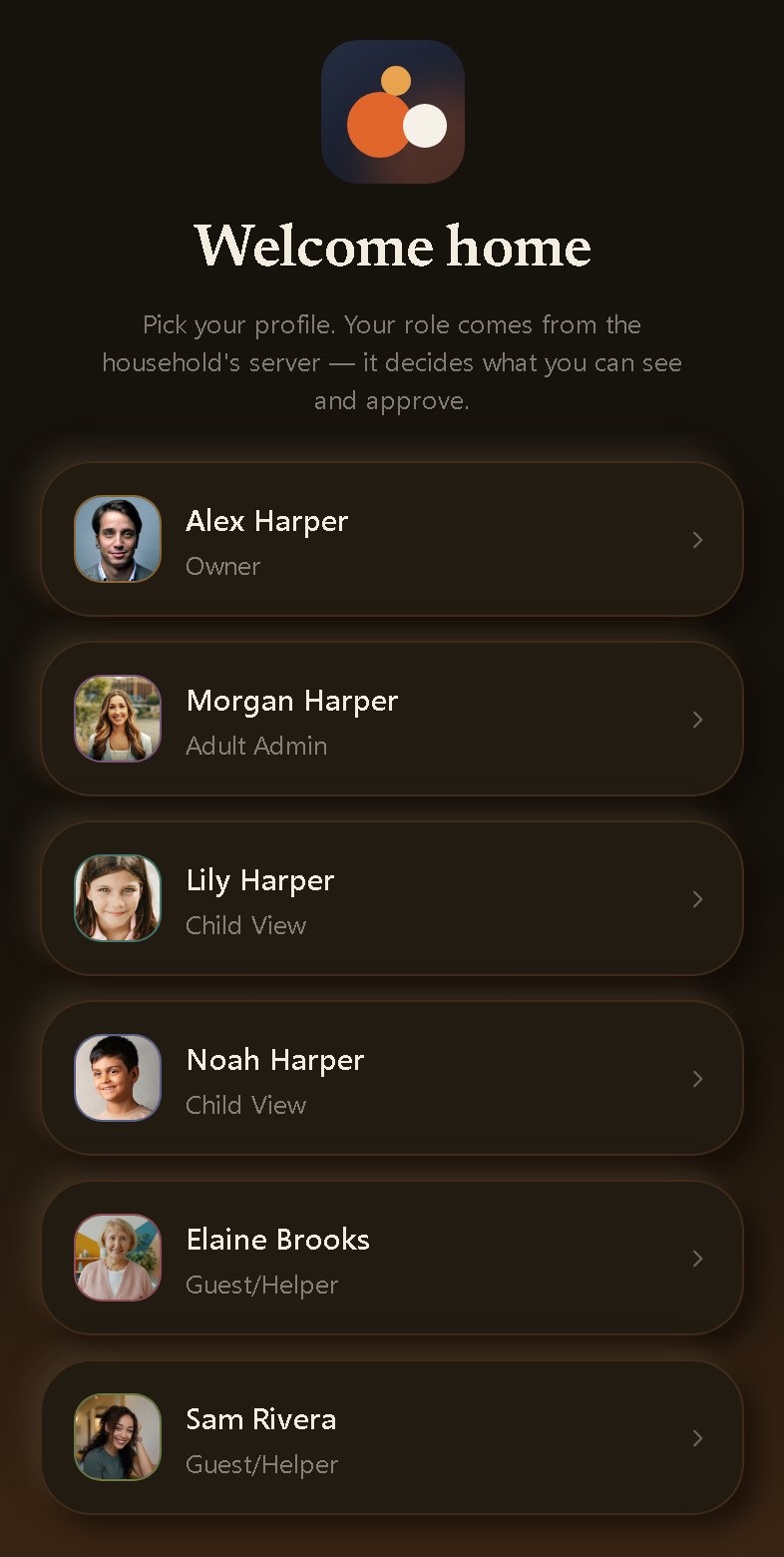
About the company
FamiliOS is designed, built and operated by FamiliOS LLC, a United States limited liability company. FamiliOS LLC owns the FamiliOS service, the familios.app domain and the FamiliOS app for iPhone. It is owner-operated: its founder runs the product, the service and support directly.
For help with your account, a business enquiry, or anything on this page, email admin@familios.app.
- Legal name
- FamiliOS LLC
- Product
- FamiliOS, for iPhone and the web
- Website
- familios.app
- Contact
- admin@familios.app